
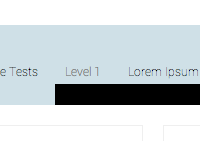
I was working on how to clode a pure css dropdown menu and stumbled upon a very strange problem. The problem was the drop sub UL elements would get clipped by the div container. I initially thought that the problem was overflow:hidden or not setting the z-index. But i was wrong, setting overflow to visible and z-index to very high did not work at all. The root cause was positioning.
Take a look on the below code..only the basics.
nav {
    background: rgba(189,212,222,0.7);
    width:100%;
    text-align:center;
    overflow:hidden;
}

nav ul{
    height:80px;
    width:1000px;
    padding:0;
    margin:0;
    list-style-type:none;

}

nav ul li {
display:inline-block;
margin-top:20px;
position:relative;
}
nav ul li a { padding:10px; font-size:12px; }

nav ul li:hover > ul {
    width:150px;
    background:black;
    color:white;
    position:absolute;
    display:block;
}
nav ul ul {display:none;}
and this caused the clipping by nav as you can see below..
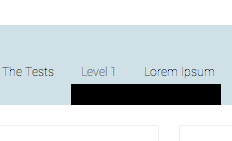
Fixing is easy:
Use z-index:10 (or higher number) for the nav. Remember z-index only works with position: absolute/relative of elements set.
